Digging Up Your Digital Past: A Survival Guide for Recovering Files You Thought Were Gone Forever
Somewhere in a closet, a junk drawer, or a shoebox shoved under a bed, millions of Americans have a piece of hardware holding files they haven't touched in a decade. An old laptop with a cracked screen. A stack of CD-Rs labeled in Sharpie. A USB drive that may or may not still work. Maybe it's the only copy of your college thesis, your grandmother's scanned photos, or a music project you spent six months on.
The impulse to go digging is real — and so is the fear that you'll plug something in and get nothing back. This guide is for the people who want to try anyway. We'll walk through the realistic options, the tools that actually work, the experts worth calling, and the situations where you have to accept that the file is gone.
Start With What You've Got: Inventorying Your Old Storage
Before you do anything technical, take stock of what you're actually dealing with. Different storage media have wildly different recovery success rates and require completely different approaches.
Old hard drives (HDDs): Mechanical drives from the early 2000s can often still spin up after years of inactivity, especially if they were stored somewhere cool and dry. Don't assume they're dead until you've tried.
USB flash drives and SD cards: These degrade over time, especially if they've been stored in extreme temperatures. Flash memory has a limited number of read/write cycles and can fail silently. That said, data on flash storage is often recoverable even when the device won't mount normally.
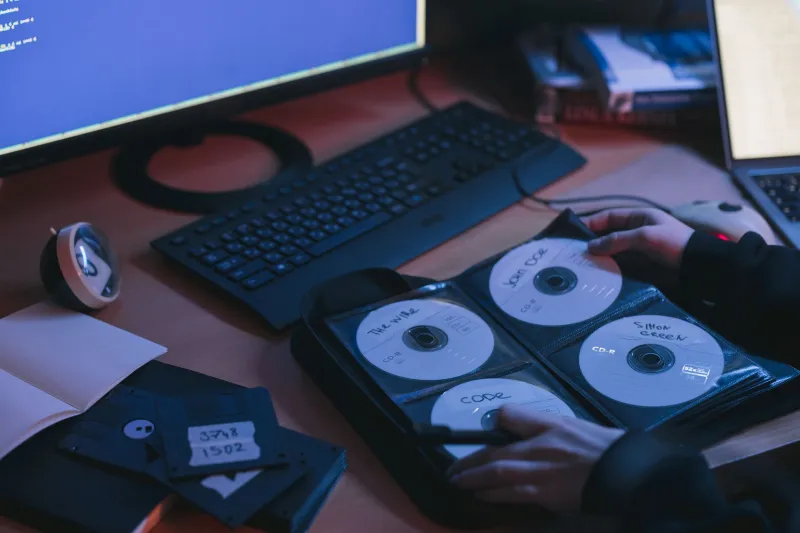
CDs and DVDs: Burned optical discs have a reputation for being archival, but that reputation is largely undeserved. Cheap CD-Rs can degrade in as little as five to ten years. The phenomenon is called "disc rot," and it's exactly as grim as it sounds. Pressed commercial discs last longer, but burned media is a crapshoot.
Floppy disks and Zip drives: These are genuinely difficult to access in 2025 because the hardware to read them is rare. They're not impossible — but you'll need specialized equipment or a specialist.
Abandoned cloud accounts: This one surprises people. If you had a Dropbox, Google Drive, or even a forgotten Flickr account from 2008, there's a decent chance the data is still sitting there. Before you go hunting for physical media, check your old email addresses for account confirmation emails.
The DIY Recovery Toolkit
For a lot of recovery situations, you don't need to pay a professional. Here's a practical stack of tools that have a real track record.
Disk Drill (Windows/Mac): One of the most user-friendly recovery apps available. It scans drives and partitions for recoverable files and gives you a preview before you commit to anything. The free version lets you preview; recovery requires a paid license, but it's worth it if the files matter.
Recuva (Windows): Made by the same folks behind CCleaner, Recuva is free, lightweight, and surprisingly effective on drives that haven't been heavily overwritten. Great starting point for anyone on a budget.
TestDisk and PhotoRec: These are open-source, command-line tools — not glamorous, but incredibly powerful. PhotoRec in particular is excellent at pulling photos and documents off damaged or formatted drives. The name is misleading; it recovers way more than just photos.
For SD cards and flash drives: The tools above work here too, but the key rule is: stop using the device the moment you realize files are missing. Every new write to the card can overwrite recoverable data.
One critical tip that recovery experts repeat constantly: never recover files to the same drive you're recovering from. Always write recovered data to a separate drive or external storage. Overwriting is irreversible.
When to Call a Professional
There are situations where DIY tools won't cut it — and trying anyway can make things worse.
If a hard drive is making clicking, grinding, or beeping sounds, stop immediately. That noise is usually a sign of mechanical failure — specifically, the read/write heads failing to find the platters correctly. Continuing to run the drive in this state can cause further physical damage that makes professional recovery impossible.
Data recovery labs like DriveSavers and Ontrack operate in cleanroom environments and can physically disassemble drives to extract data at the platter level. It's expensive — often $500 to $1,500 or more — but for truly irreplaceable files, it's sometimes the only option.
Jennifer Okafor, a data recovery specialist based in Chicago who has worked with both consumer and enterprise clients, puts it plainly: "The people who come to us in the worst shape are the ones who ran recovery software on a drive that was already clicking. They turned a difficult job into an impossible one. If you hear anything mechanical coming out of a hard drive, treat it like a patient in cardiac arrest — don't move it, don't shake it, get a professional."
The Forgotten Account Goldmine
A lot of people overlook the easiest recovery avenue: their own old accounts.
Google has a surprisingly generous data retention policy for inactive accounts — though that changed in late 2023, when they began deleting accounts inactive for more than two years. If you have an old Gmail address, log in now. If you've forgotten the password, the account recovery flow using an old phone number or backup email is worth trying before you assume it's gone.
Similarly, Dropbox retains deleted files for 30 days on free plans and 180 days on paid plans. If your account is still active and you deleted something recently, check the "Deleted Files" section before panicking.
Old photo services are another underrated source. Flickr, SmugMug, and even MySpace (yes, it still exists in some form) have retained user data through various ownership changes. It's worth checking.
What's Actually Gone Forever
Here's the honest part. Some files are unrecoverable, and knowing when to stop is just as important as knowing where to look.
If a drive has been physically destroyed — water damage, fire, severe physical trauma — even professional labs may not be able to help. Data recovery from flood-damaged drives is possible in some cases, but outcomes are unpredictable.
If a solid-state drive (SSD) has been erased, recovery is significantly harder than with traditional hard drives. SSDs use a process called TRIM, which tells the drive to wipe deleted data immediately rather than waiting for it to be overwritten. This makes casual deletion on an SSD much more final than on an HDD.
And if you've already written a lot of new data to a drive after losing the files you're looking for, the odds drop sharply. The old data may still be there in fragments, but assembling those fragments into something usable becomes increasingly difficult.
Mark Chen, a hobbyist digital archivist in Portland who has spent years recovering files for friends and family, offers a useful frame: "I tell people to think of it like an archaeological dig. Some artifacts come up intact. Some come up in pieces you can put back together. And some are just gone — turned to dust. The goal is to find what you can without damaging what's left."
Before You Need to Dig: Building a Future You'll Thank Yourself For
The best recovery story is the one you never have to tell because you never lost anything in the first place. The 3-2-1 backup rule — three copies, two different media types, one offsite — is old advice, but it's old because it works. A cloud backup service like Backblaze ($9/month for unlimited storage) combined with a local external drive is a setup most people can afford and actually maintain.
For now, though, if you've got a box of old drives and a pile of faded CD-Rs, start digging. You might be surprised what's still in there.