Codec Cage Match: Picking the Right File Format Before You Hit Upload in 2025
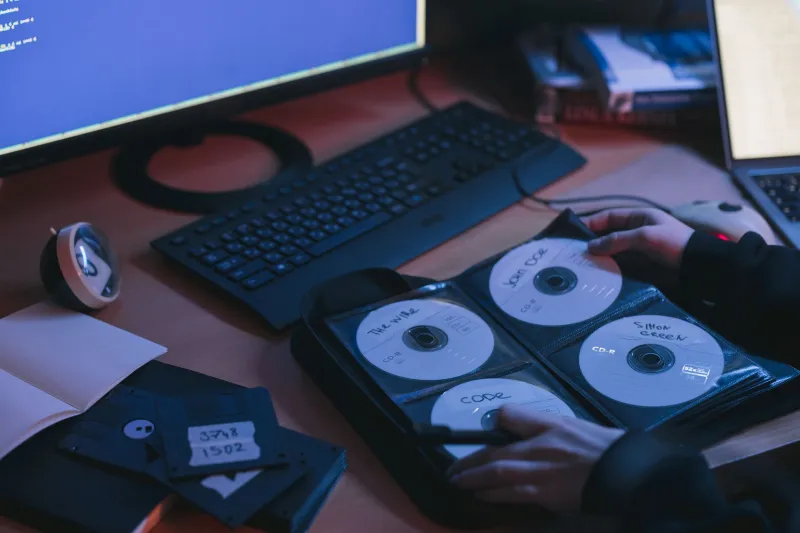
You've got the file. You're ready to share it. But before you drag it into the upload window, there's one question worth asking: is this actually the right format for the job? Because in 2025, format choice isn't just a nerdy technicality — it determines whether your file plays smoothly on someone's phone, gets blocked by a platform's codec filter, or arrives bloated and slow across a spotty connection.
Let's get into it.
Video: MP4 vs. WebM — The One That Won't Let You Down vs. The One That Should
If you've been sharing video files for more than a minute, you already know MP4 is basically the universal handshake of digital video. Wrapped around the H.264 codec (or increasingly H.265/HEVC), an MP4 will play on practically anything — your smart TV, your Android phone, your cousin's ancient Windows laptop, you name it. That compatibility is genuinely hard to beat.
WebM, on the other hand, is Google's open-source answer to the codec licensing mess. Built around VP9 or the newer AV1 codec, it delivers impressive compression with no royalty fees attached. The catch? Native support is still inconsistent outside of browser environments. Chrome and Firefox handle it beautifully, but try dropping a WebM file on an iPhone or loading it in QuickTime and you're going to have a bad time — at least without third-party help.
For FileChan users, the practical call here is pretty clear: upload MP4 for maximum reach. If you're distributing something specifically for web embedding or you know your audience is on desktop browsers, WebM with AV1 is worth exploring for the quality-to-size ratio alone. But when in doubt, MP4 is your safety net.
One thing to watch: H.265 (HEVC) encoded MP4s are gaining ground fast. They cut file size nearly in half compared to H.264 at equivalent quality. The tradeoff is that older devices choke on them. If your file is destined for a wide, unpredictable audience, stick with H.264. If you're sharing with a tech-savvy crowd who you know is on modern hardware, HEVC is a genuinely excellent choice.
Images: HEIC vs. JPEG — Apple's Gamble and Why It Still Matters
HEIC (High Efficiency Image Container) has been the default format on iPhones since iOS 11. It produces stunning quality at roughly half the file size of a comparable JPEG. Sounds like a slam dunk, right?
Except HEIC has spent years being the format that causes Windows users to throw their hands up. Microsoft eventually added support through a codec pack, and most modern browsers can handle it now, but the compatibility story is still messy enough that sharing HEIC files broadly is a gamble.
JPEG, meanwhile, is 30-plus years old and still everywhere. It's lossy, sure, and it doesn't handle transparency, but every device on earth opens a JPEG without complaint. For sharing purposes — especially on a platform where you don't control what device or OS is on the other end — JPEG remains the workhorse.
That said, WebP deserves a serious look as a middle ground. Developed by Google, it supports both lossy and lossless compression, handles transparency like PNG, and is now supported natively across all major browsers and most modern operating systems. If you're uploading images to FileChan for broad distribution, converting to WebP before you upload is genuinely smart practice in 2025.
PNG still has its place for anything requiring pixel-perfect clarity or transparency — screenshots, graphics, logos. Just don't use it for photos. A high-resolution PNG photo can clock in at 10x the size of an equivalent WebP with no visible quality benefit.
Audio: FLAC vs. AAC — The Audiophile Argument vs. The Practical One
This is where things get a little passionate in online communities, so let's be straight about it.
FLAC (Free Lossless Audio Codec) is exactly what it says: lossless. Every single bit of the original recording is preserved. If you're archiving music, distributing to audio engineers, or sharing something where absolute fidelity is non-negotiable, FLAC is the right call. File sizes are large — we're talking 20–40MB for a typical song — but the quality ceiling is as high as it gets.
AAC (Advanced Audio Coding) is what Apple uses in iTunes and what most streaming platforms lean on. At 256kbps, AAC is genuinely transparent to most listeners — meaning the average person, even on decent headphones, won't hear a meaningful difference from lossless. And the files are a fraction of the size.
For sharing on FileChan, context is everything. Distributing a live concert recording to fellow audio nerds? FLAC. Sharing a podcast episode, a mixtape, or background music for a video project? AAC at 256kbps is more than adequate and a lot more download-friendly.
MP3 is still in the mix, obviously. It's the JPEG of audio — old, slightly inefficient, but universally understood. If you're not sure what your audience is working with, MP3 at 320kbps is a safe fallback.
The Format Decision Framework
Here's a quick mental checklist before you upload anything:
Who is downloading this? If you know your audience — say, a specific community with consistent hardware — you have more flexibility. If it's open distribution, default to the most compatible option.
How large can the file be? Bandwidth still matters, especially for mobile users. A more compressed format is often a courtesy to the person on the other end.
Is quality preservation critical? For archival or professional distribution, lossless formats (FLAC, PNG, RAW) are worth the file size. For casual sharing, modern lossy formats like AAC and WebP hit a sweet spot that's hard to argue with.
Will this be re-edited or remixed? If someone downstream might be working with your file in an editor, give them headroom. Compressed video or audio degrades further every time it's re-encoded. Start lossless, let them compress on their end.
The Bottom Line
The codec wars aren't really wars anymore — they're more like a slow negotiation between open standards advocates, hardware manufacturers, and the platforms that have to support all of it simultaneously. AV1 is probably the future of video. WebP has quietly won the image format debate for most use cases. AAC isn't going anywhere.
But "the future" and "right now" are two different things. On FileChan, you're sharing files with real people on real devices today. Format your files with that in mind, and you'll spend a lot less time answering "hey, why won't this open?" messages.
Share smart. Keep it moving.